05.05.2025
What is a milestone in customer projects?

Your project is running, but your client is constantly asking for the latest status?
Client projects can often drag on - especially when no one knows exactly where they stand. This can become quite annoying over time and create uncertainty.
Here, it is particularly important to show your clients progress and build trust. What helps are clear milestones!
With them, you show your clients what has already been achieved in the project, you can break it down clearly, and you give the whole thing the missing structure it needs. Your client sees what is coming next and can prepare for it independently.
In this article, you will learn what milestones are, how to sensibly incorporate them into your client projects, and how to ensure full transparency and trust with your clients using Proyex.
What is a milestone?
A milestone is like a stage victory. It is an interim point in your project that marks the moment when you have achieved something important. And thus, milestones guide the way in your client project.
Assuming your client has received and approved the first draft of their designs? Milestone. This means for you, check it off - now the next phase of the project comes.
Milestones show where you stand and what happens next, and thus you work faster and more professionally.
Why milestones are essential for client projects
Do you also know this?
You are in the middle of the project, everything is going great, and yet there are constant communication hiccups with your clients. Meanwhile, you have already delivered long ago.
Milestones can help you move forward!
Clarity for you and your clients
Milestones make visible what progress has been made in your project and which points are upcoming. Your client gets a direct insight into the process and sees how far you are in the project. You do not have to explain yourself repeatedly, because your clients see a clear structure and that progress is being made.
More overview, less stress
When you know what is supposed to happen when, your project runs more smoothly and without chaos. With milestones, both you and your client can quickly see which phases are already completed, when deadlines are coming up, and when the schedule might become tight.
This way, you can manage your project before delays could occur.
No more annoying email communication
Everyone knows those classic emails from their clients: “Is there any news?”, “Can you send me the current status again?” This often takes time, disrupts the workflow, and gets neither you nor your client to the goal faster.
If you work with milestones in your projects, your client knows for themselves what the current status is. You save time, you don’t have to explain anything twice, and the project process speaks for itself!
Milestones and goals
Milestones are small success experiences on the way to the goal. They are points in time that clarify how close you are to the goal and what has already been achieved.
But why are milestones so important for achieving goals? Quite simply: They give you and your client a clear direction.
Assuming you are working on a website for your client. The complete completion of the website is the goal for the client. The first milestone could be the completion of the first design draft. By breaking your work into milestones, you make your project more manageable and can work more motivated together with your client towards the final goal.
How to plan milestones correctly
Now you know what milestones are and why they make life easier for you and your client. To use them at the right spots in your project, you need a good feel for quantity, timing, and structure.
How many do you need?
Of course, there is no fixed number of milestones per project. However, it is important that each milestone should mark a clear progress that your client understands. There should be enough to create orientation and structure, but not so many that you get lost in mini-steps.
What deadlines are reasonable?
Deadlines should always correspond to a specific event. For example, you plan a meeting with your client. Then it makes sense to set that exact day as the deadline and also consider it a milestone.
It is important to:
not plan too tightly
build in feedback loops with your clients
buffer times help when something comes up
calculate realistically
Because a missed milestone can cost trust with your clients. So it's better to honestly plan deadlines.
Practical examples
Let’s look back at the practical example of completing your client's website. This is what the milestone planning could look like with realistic timeframes and enough space for feedback rounds:
Week 1
Kick-off & concept approval
→ the basic concept is ready, and your client gives the green light to start
Week 2
first design draft
→ the first visual draft is ready, and your client provides structural feedback
Week 3-5
from revision rounds to final design & design approval
→ after feedback rounds, the final design is ready for implementation
Week 6
Implementation of technology and uploading content
→ the website is functional, content is in, the finishing touches follow
Week 7
Publish website
→ everything fits, your client gets access - your project is completed
Milestones in Proyex: This is how your client keeps track
In many conventional tools like Asana or Trello, it can quickly lead to confusing workflows. There are too many functions and options that can quickly become confusing and distract from the focus on what is essential. Because efficient and transparent collaboration with your clients comes first.
Proyex offers you clear project management directly with your clients together. Your client has access to the platform and can see for themselves which milestones have already been achieved and what is currently pending.
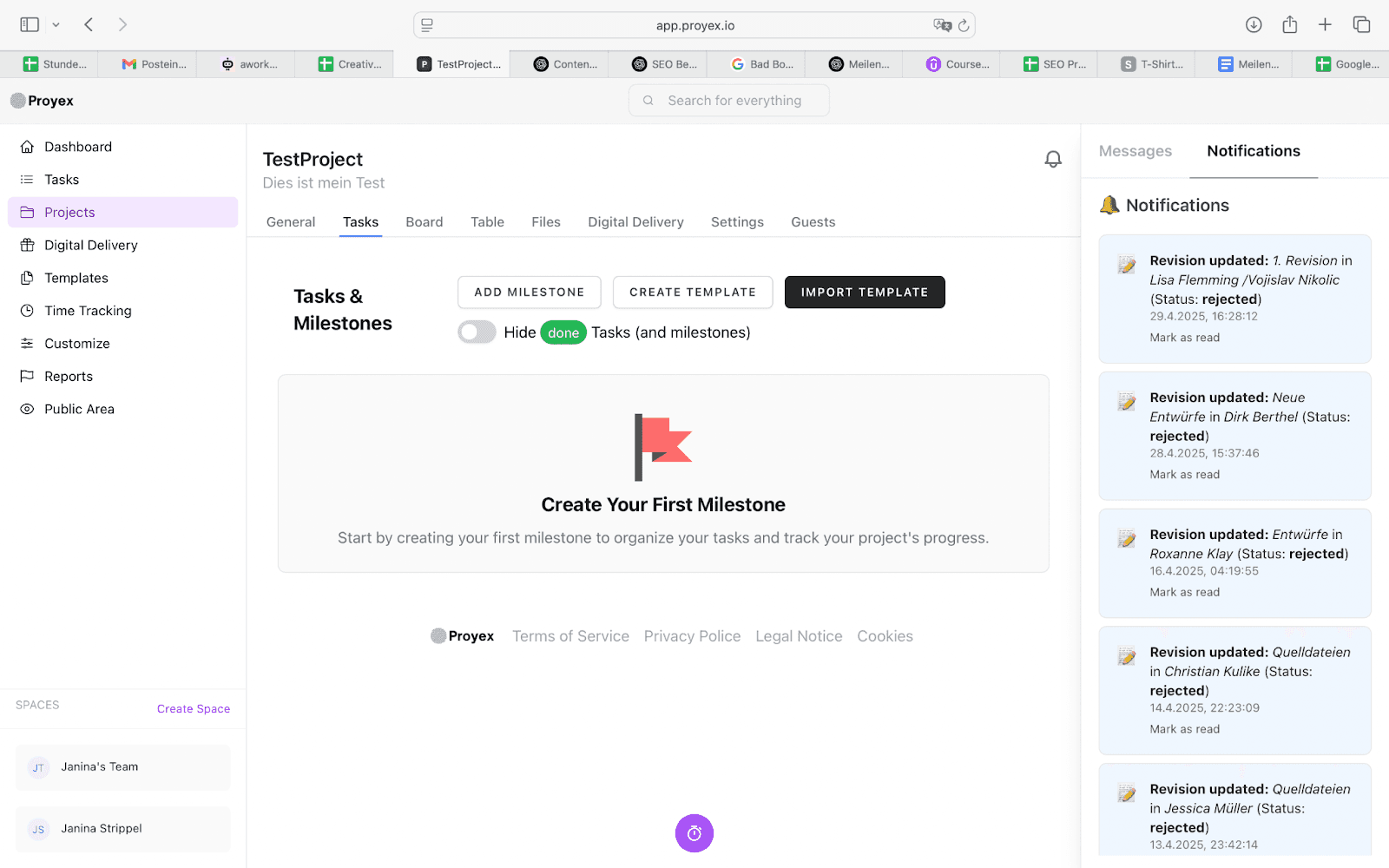
Milestone creation in Proyex
Instead of confusing to-do lists, you create your project with organized milestones with just a few clicks, on which all participants can orient themselves. You can optimize these by adding a due date, a short description, and optional to-dos. This way, your client not only knows what is coming up but also by when, and you maintain control over time and progress. Tasks within a milestone can be labeled with various statuses such as "Open", "In Progress", "Completed", or "Delayed". Particularly helpful: Once a milestone is reached and all associated to-dos are completed, it is automatically marked as done. This creates clarity, saves follow-up questions, and visibly shows project progress.
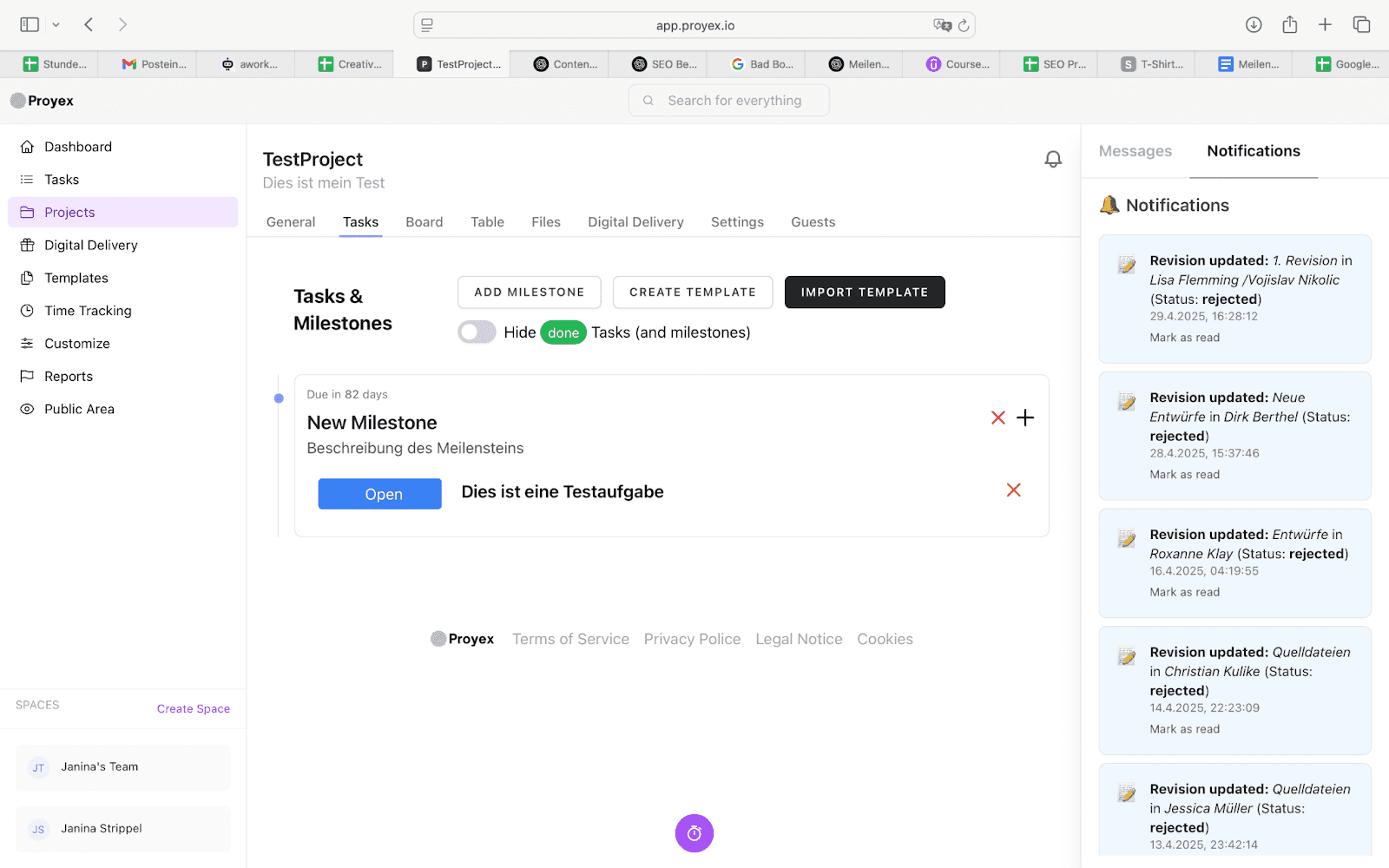
To-do creation in Proyex: Clear task structure and status tracking
Another advantage: You can create milestone templates and reuse them for similar projects. This saves you time and is perfect if you regularly oversee websites, brand appearances, or campaigns.
This way, you don’t need external communication tools or annoying emails. Everything is clear, transparent, and designed for collaboration with the client.
Want to learn more? Also read:
“Trello vs Proyex – which is better for your client management?”
Conclusion: Focus, Progress & Client Satisfaction
Milestones help you to structure your projects clearly, build trust with your clients, and work more stress-free at the same time.
Sounds good, but in practice, implementation often fails? Then it’s worth taking a look at the project management tool Proyex. You efficiently plan milestones, can keep all stakeholders and your clients updated, and professionally advance your projects.
Try Proyex now for free and bring structure to your projects - all without tool confusion!
Free task management?
Use the free version of Proyex without time limits. Try it out now and organize your tasks like over 100 other teams with Proyex.




📩 Save 10% on your first Proyex plan.
Sign up for our newsletter and stay up to date – with tips, updates & exclusive offers.